
Flash CaffePeso Firmware
Install the latest firmware directly from your browser. No software installation required! Just connect your ESP32 board and click install.
Latest Version
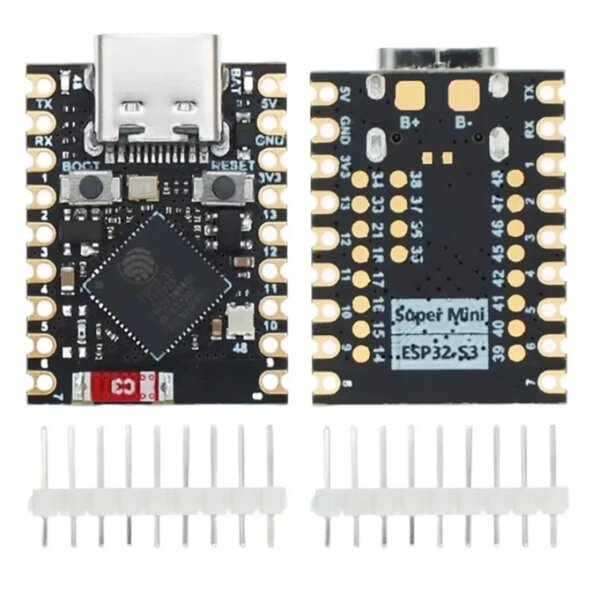
ESP32-S3 Supermini
Popular development board with 4MB flash. Most common choice for DIY builds.
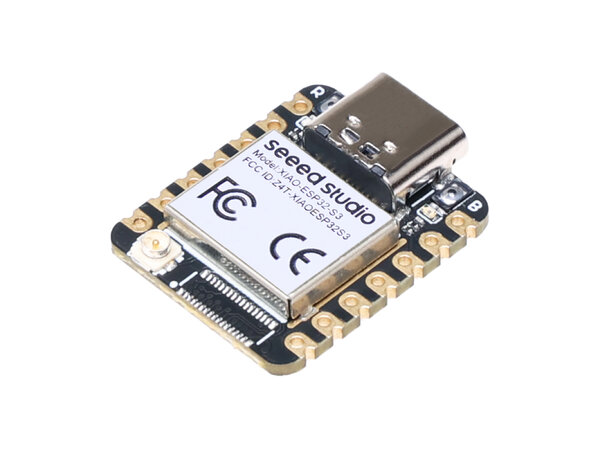
XIAO ESP32S3
Compact board with 8MB flash. Great for space-constrained builds.
How to Flash
Connect Board
Connect your ESP32 board to your computer via USB cable
Select Board
Choose your board type (Supermini or XIAO) and click install
Follow Prompts
Your browser will guide you through the flashing process
Enjoy!
Your CaffePeso is ready to use with the latest firmware
No Software Required
Flash directly from your browser. No need to install PlatformIO or other tools.
Always Latest
Automatically gets the latest stable firmware with all recent improvements.
Safe & Reliable
Tested builds with complete firmware including web interface and bootloader.
Troubleshooting
Browser Not Supported
ESP32 Web Tools requires a browser with Web Serial support:
- Supported: Chrome, Edge, Opera
- Not Supported: Firefox, Safari, Internet Explorer
Device Not Detected
- Make sure your board is connected via USB cable
- Try a different USB cable (some are power-only)
- Check if drivers are installed for your board
- Try a different USB port
Flashing Failed
- Hold the BOOT button while connecting the board
- Try putting the board in download mode manually
- Ensure no other applications are using the serial port
Need more help? Check the User Guide or the GitHub repository for detailed documentation.