Flash Firmware
Install the latest firmware directly from your browser. No software installation required! Just connect your ESP32-S3 board and click install.
Latest Version
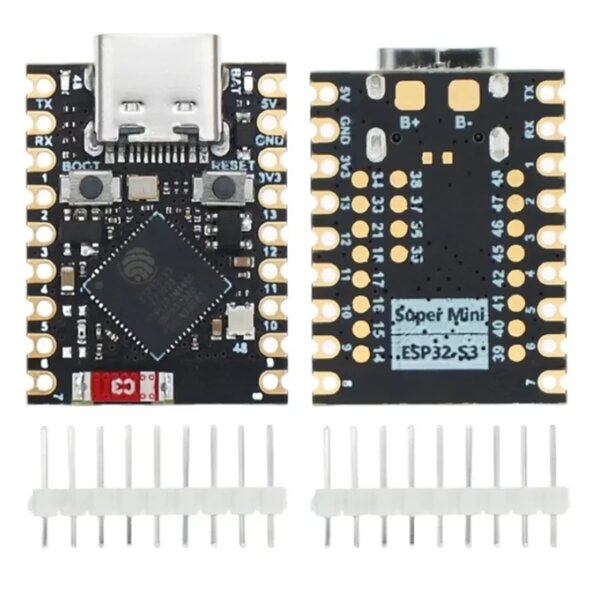
ESP32-S3 SuperMini
Compact and inexpensive with 4 MB flash. The most popular choice for a DIY build.
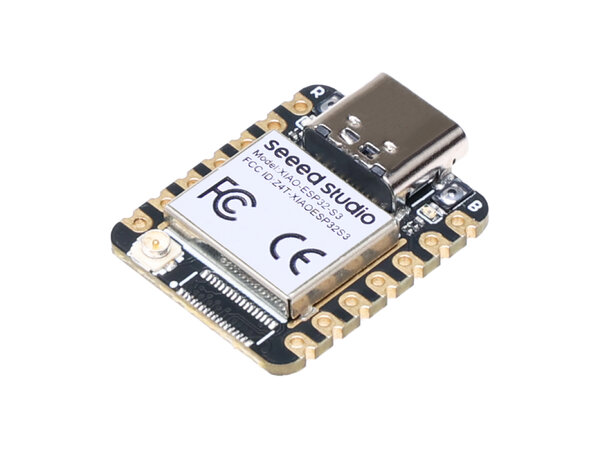
Seeed XIAO ESP32-S3
8 MB flash and 8 MB PSRAM. Great if you want extra headroom for future features.
After Flashing
Connect to K7-Setup
Join the open K7-Setup WiFi network on your phone or laptop
Open the Portal
Browse to http://192.168.5.1 — the device scans for your lamp automatically
Select Your Lamp
Pick your lamp from the list and tap Connect & Save
Start Controlling
Join your lamp's WiFi (K7-XXXXXX) and browse to http://k7controller.local
No Software Required
Flash directly from your browser. No need to install PlatformIO or other tools.
Always Latest
Automatically gets the latest stable firmware with all recent improvements.
Safe & Reliable
Tested builds with complete firmware including web interface and bootloader.
Troubleshooting
Browser Not Supported
Web Serial requires a compatible browser:
- Supported: Chrome, Edge, Opera
- Not Supported: Firefox, Safari
Device Not Detected
- Try a different USB cable — some cables are charge-only
- Make sure no other app has the serial port open
- Try a different USB port
Flashing Failed
- Hold the BOOT button while pressing RST, then click Install again
- Or hold BOOT while plugging in the USB cable
Lamp Not Found During Setup
- Make sure your K7 lamp is powered on
- Tap Scan again, or enter the lamp SSID manually
Need more help? See the full Setup Guide or the GitHub repository.